Find the missing protection
When requested language is absent, the finding says “not present.” A missing clause stays visible alongside issues in the text.
Select the party you represent, or choose neither for a balanced review. Add deal-specific instructions to guide the analysis.
Review high-, medium-, and low-severity issues. Each finding quotes the clause and links to its location in Word; missing language is flagged as “not present.”
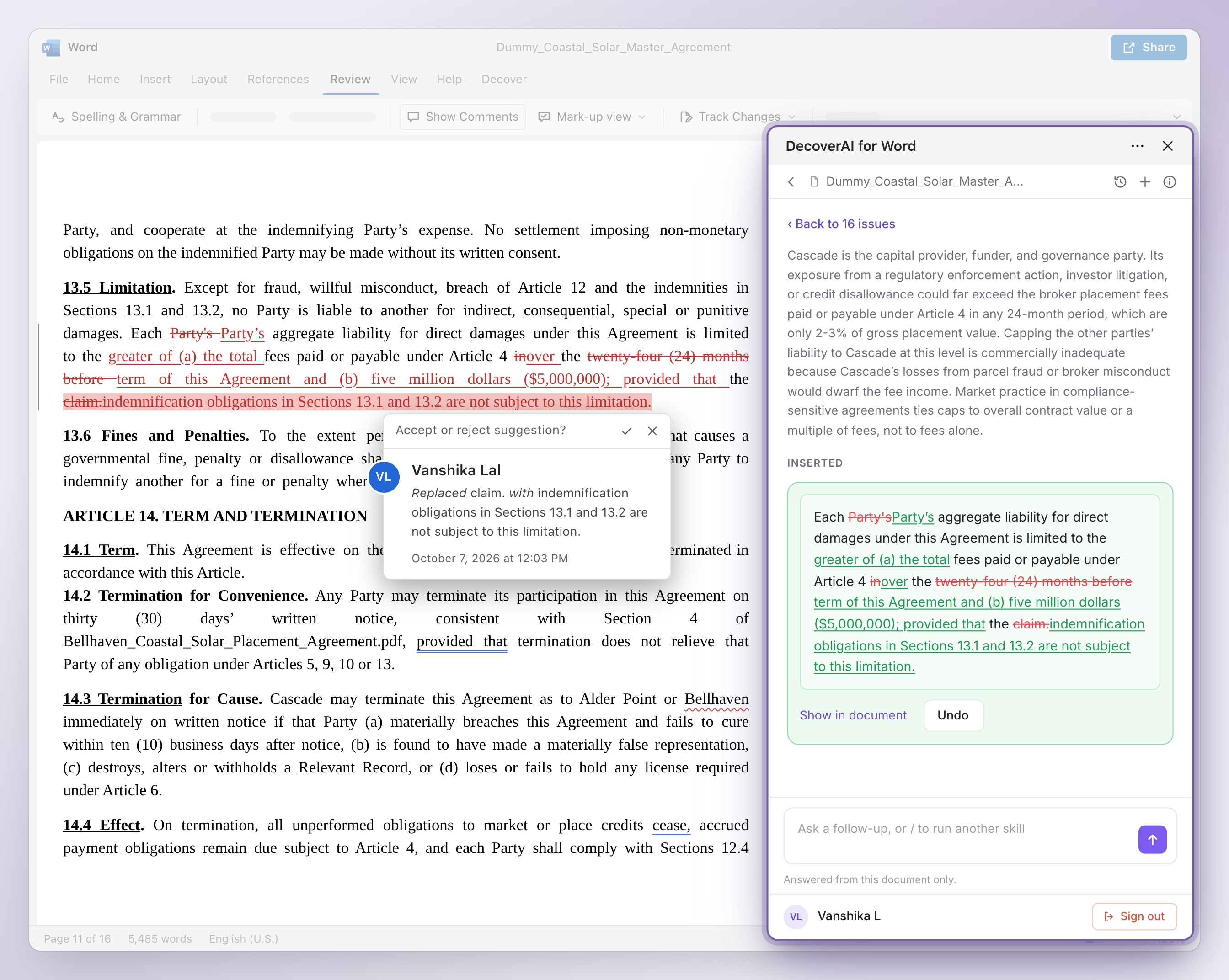
Edit a suggested fix before inserting it. It appears as an ordinary tracked change authored by the signed-in Word user, ready for you to accept or reject.
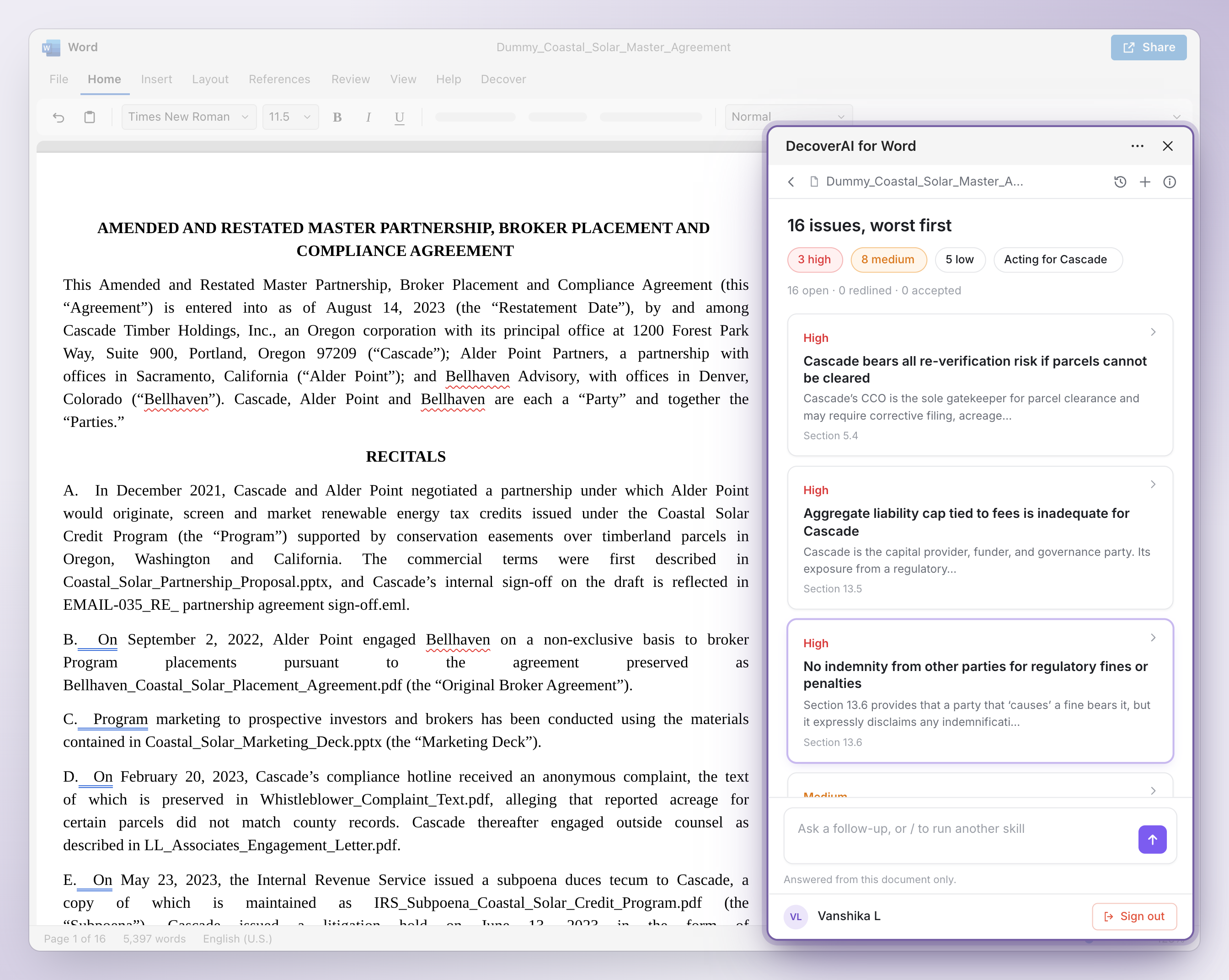
Brief the review as you would an associate: “No exclusivity beyond 12 months” or “Broker must be registered in OR and WA before any placement.” The add-in checks standard market positions alongside your instructions and labels issues tied to your brief.
When requested language is absent, the finding says “not present.” A missing clause stays visible alongside issues in the text.
Use, revise, or dismiss a suggestion. Dismissal reasons are recorded, and no change is inserted without your action.
No. Choose either party or neither. With no side selected, DecoverAI runs a balanced review.
The signed-in Word user. Inserted fixes use ordinary Word tracked changes that you can accept, reject, or revise.
Read the contract-review walkthrough for the full example, or visit Word setup and support. The add-in is included with a DecoverAI subscription.
DecoverAI carries matter-level permissions, role-based access, and audit logging across the platform. Your data is never used to train our models.
Review our security controls, data processing agreement, and published pricing with your team.